
Evergon Release 0.19

- Clearer KYC/B status surfaced in the UI
- Wallet balances now visible across asset and portfolio tables
- Assets can be removed directly by admins, issuers, and investors
- Onboarding and user list reliability improved

1. Show the KYC/B status in the get verified button

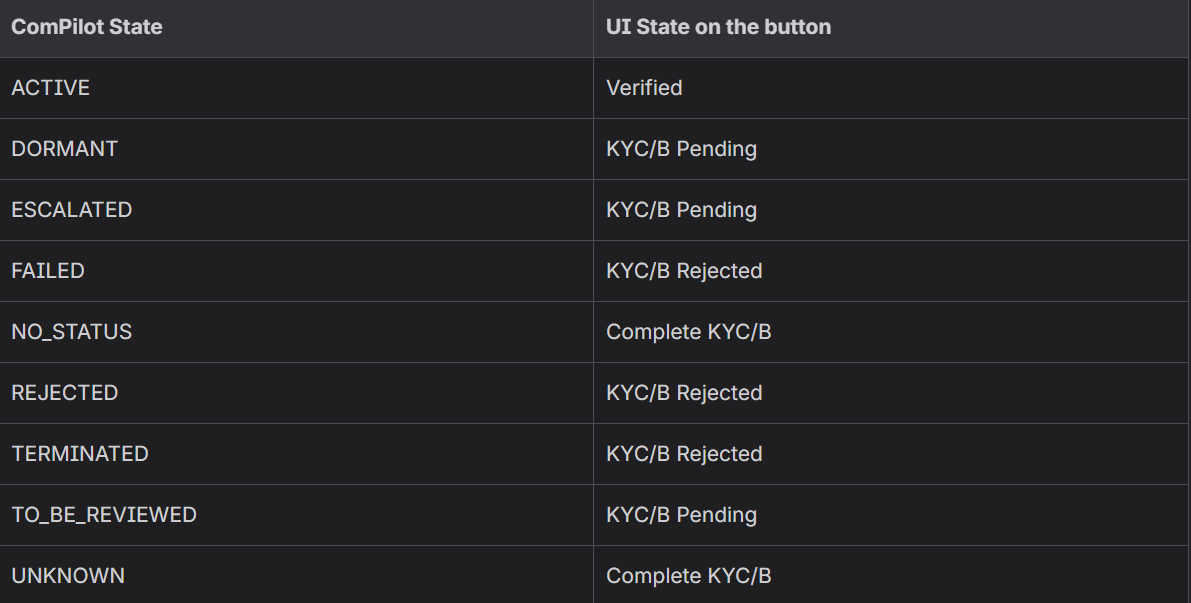
The system used to only show the Get Verified button, the goal was to show more information about the Compliance Status. The “Get Verified” button text is driven by the ComPilot compliance state
Mapping of the status
2. Show balances in asset/portfolio table
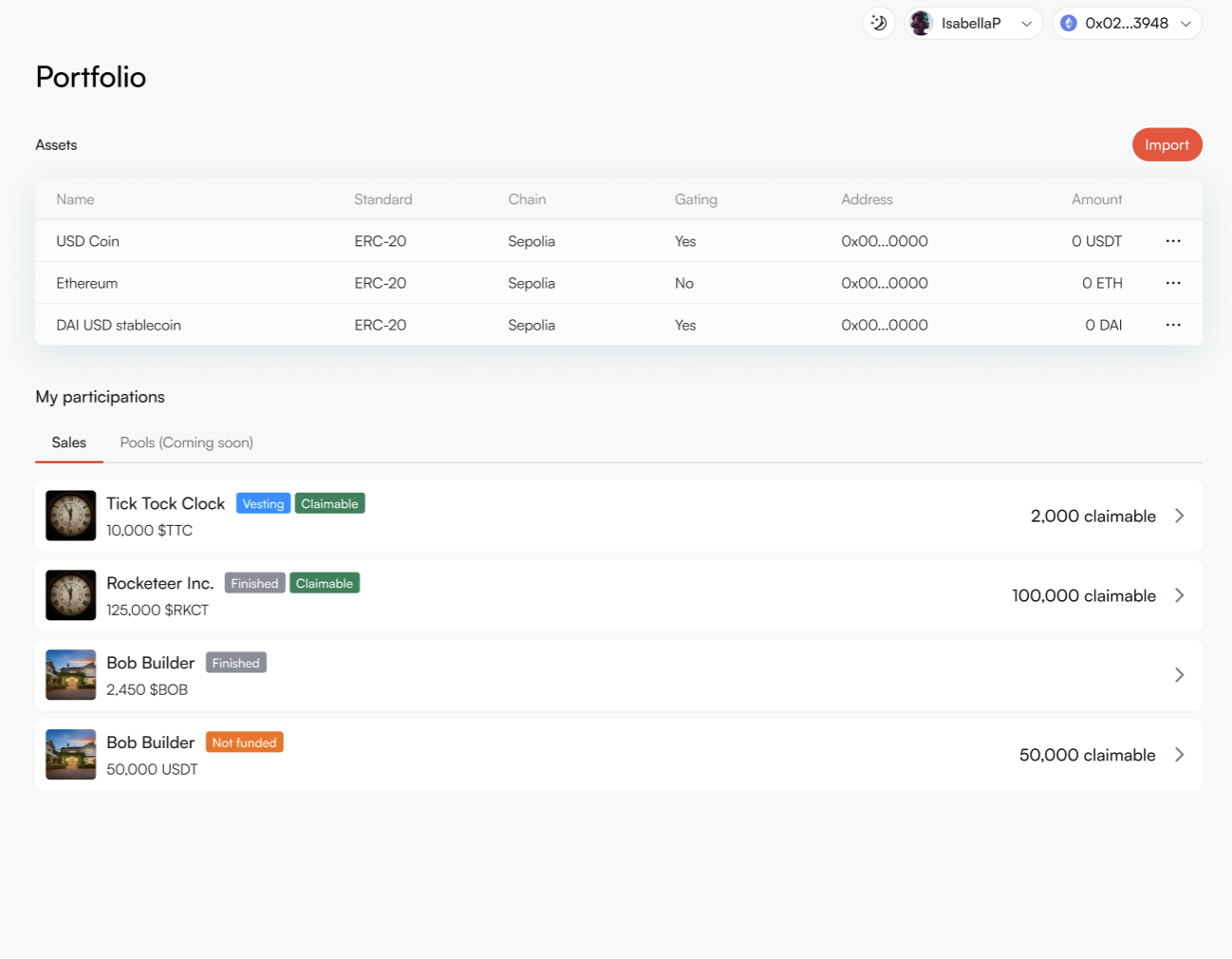
We’ve added balance visibility to asset and portfolio tables across the platform. A new column now shows the balance of the currently connected wallet, calculated client-side and not stored anywhere.
This update applies to:
- Asset table on the project panel
- Asset table on the whitelabel issuer panel
- Portfolio table on the whitelabel investor panel
Additional improvements
- Each ERC-20 asset is now displayed as a single row
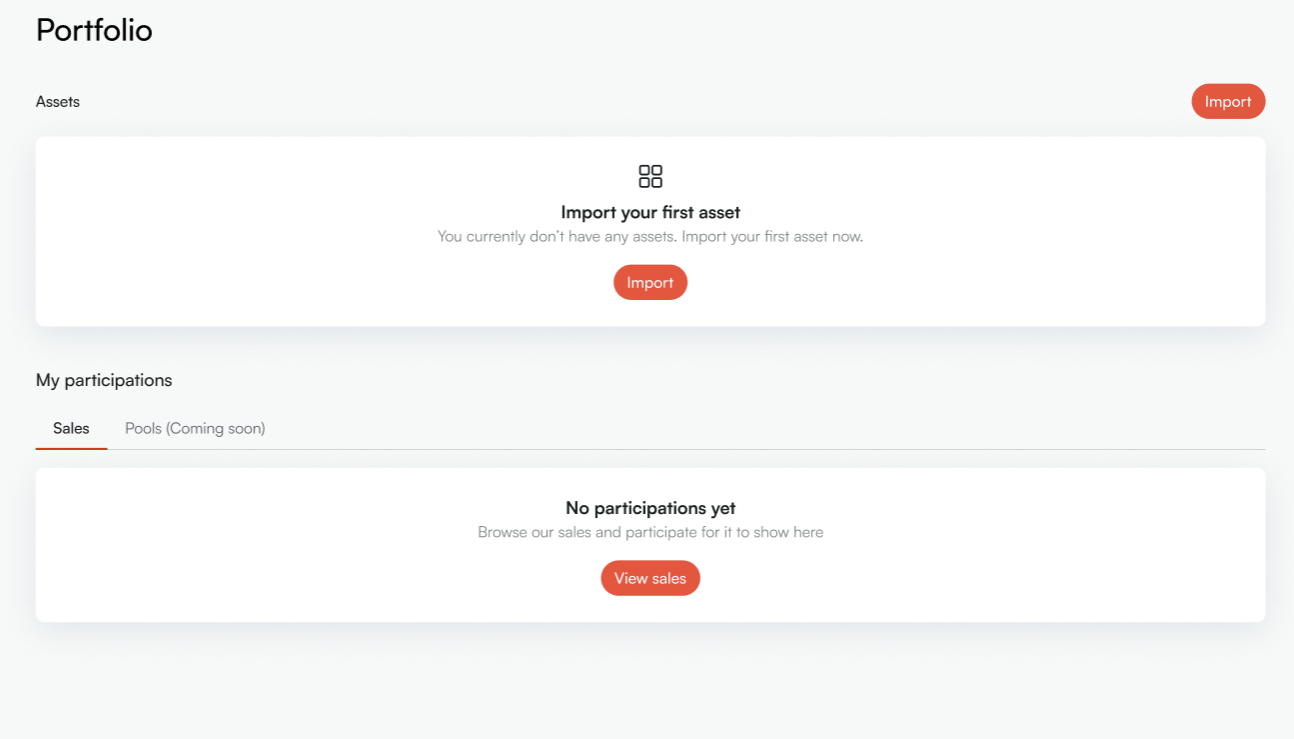
- An empty state is shown when no data is available
- The symbol column has been removed to simplify table views, including the investor view
3. Remove assets from profile & assets list
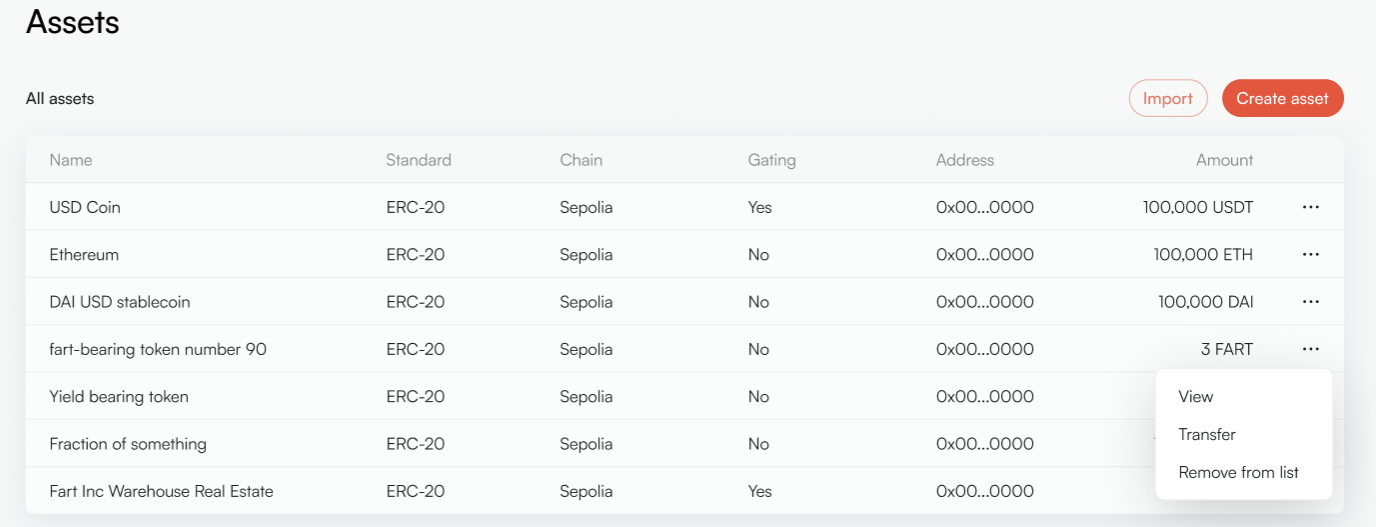
Now users can remove assets directly from asset lists.
This update applies to:
- Admin view
- Issuer view
- Investor view
Admins can remove an asset from the project, which removes it from both the project and associated user asset lists. Issuers and investors can remove assets from their own asset lists without affecting the project configuration.
4. Bug fixes
- Fixed an issue where users could complete sign-up without filling in the Name field
- Fixed an issue where newly logged-in users did not appear in the Users list
.png)
Tokenize Your Assets Now
Start free today or book a demo to see how Evergon transforms your financial operations.